
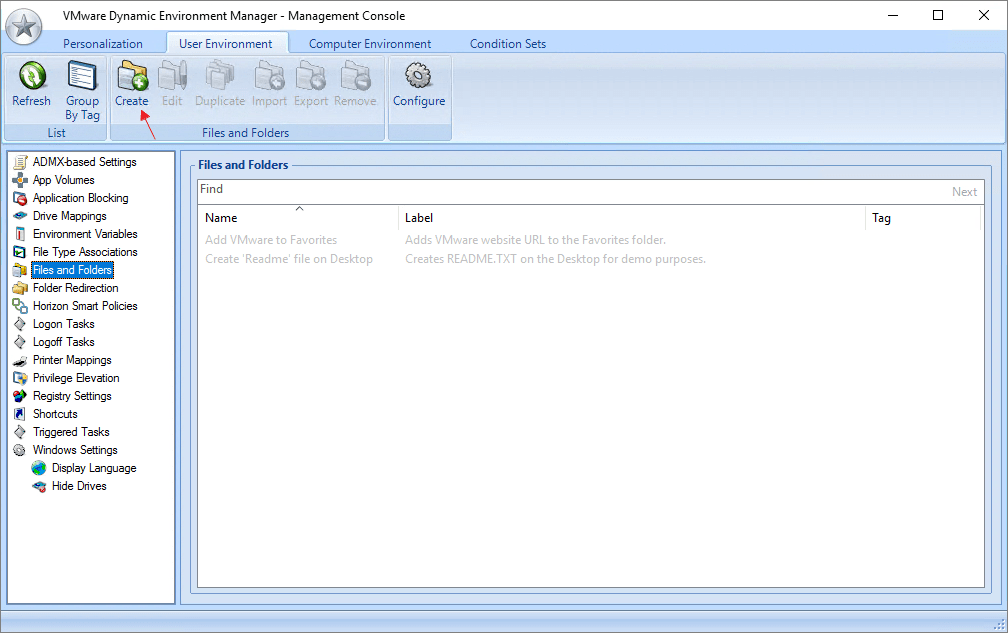
In certain cases it is necessary to create folders and/or files in the user’s profile folder, mostly inside AppData. Often applications needs license-files put in specific places, in order to work. VMware Dem has a neat solution for this under User Environment, called Files and Folders. But, knowing what these VMware DEM Profile Archive Setting folders refer to inside the file system in the Horizon desktop, isn’t quite obvious. Therefore, to help others that also wonder, I have created this page which hopefully explains this a little better….
VMware DEM – Files and Folders
Official VMware Dynamic Environment Manager Documentation
Disclaimer: Every tips/tricks/posting I have published here, is tried and tested in different it-solutions. It is not guaranteed to work everywhere, but is meant as a tip for other users out there. Remember, Google is your friend and don’t be afraid to steal with pride! Feel free to comment below as needed.
 bjosoren's IT-Tech blog
The article highlights the importance of creating folders and files within the user’s profile folder, particularly in the AppData directory, for certain applications to function properly. It mentions VMware DEM’s solution, “Files and Folders,” under User Environment, which offers a neat solution for managing license files in specific locations. However, the author acknowledges the lack of clarity regarding the purpose of VMware DEM Profile Archive Setting folders within the Horizon desktop file system. The article aims to provide a clearer understanding of these folders for the benefit of others facing similar questions.
LikeLike
It’s very good that I was able to find such information and I can take it into account in my work. Thanks for the usage example.
LikeLike
The ability to customize and manage user environments with such precision is a game-changer for IT administrators. It simplifies the process of tailoring configurations, ensuring users have access to the right resources while maintaining control over system policies. This feature is particularly valuable in dynamic environments where personalization and standardization must coexist. I’d love to see more examples of how this feature has been implemented in real-world scenarios to maximize its potential. Excellent overview!
LikeLike