
Release date: November 27th 2023
Welcome to my ControlUp section. Here I will show how to configure the ControlUp Insights LDAP Settings. This is used to allow users to log into Insights with their domain credentials. I will also show how to assign an Admin User Group from AD a role in ControlUp Insights. I start by logging in with the default admin user and password I defined when deploying the OVF Template in vSphere.
From the Settings menu, I select LDAP Configuration…

Click Add LDAP Strategy to configure LDAP Settings

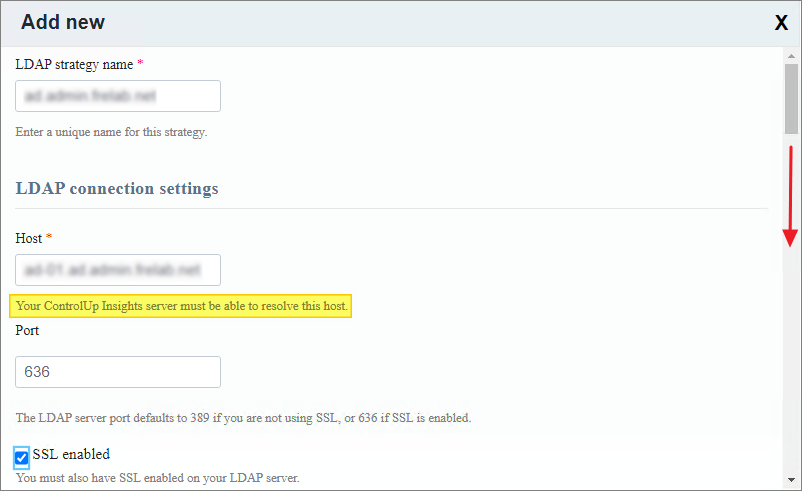
I start by giving the LDAP Strategy a somewhat meaningful name and configure the connection settings
- Host: FQDN of one of my AD-controllers
- Port: 636 (LDAPS)
- SSL Enabled: Check
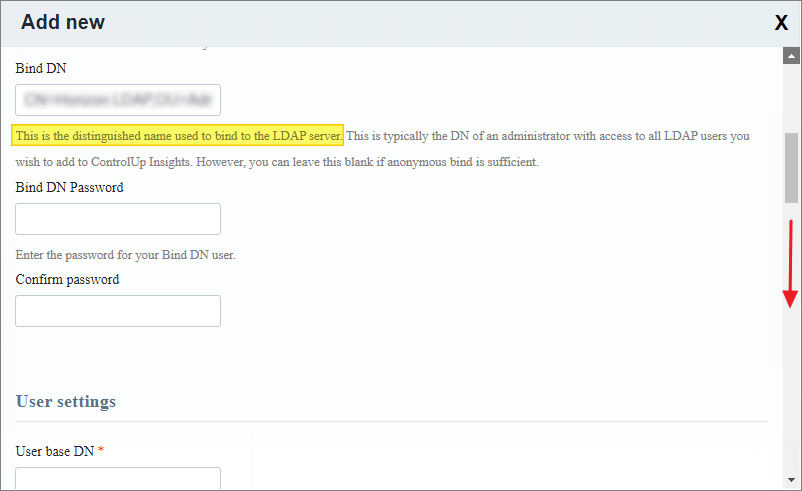
Next, I configure the user that will do the LDAP lookups in AD. This doesn’t have to be a Domain Administrator user, Read-Only permissions in AD is sufficient. I will also provide the User/Groups Base DN and attributes below
- Bind DN: This is the distinguished name of the BIND-user which I find using ADUC below.

- User base DN: This is typically the distinguished name of the OU where my ControlUp Admin Users reside. The attribute settings are self explanatory.

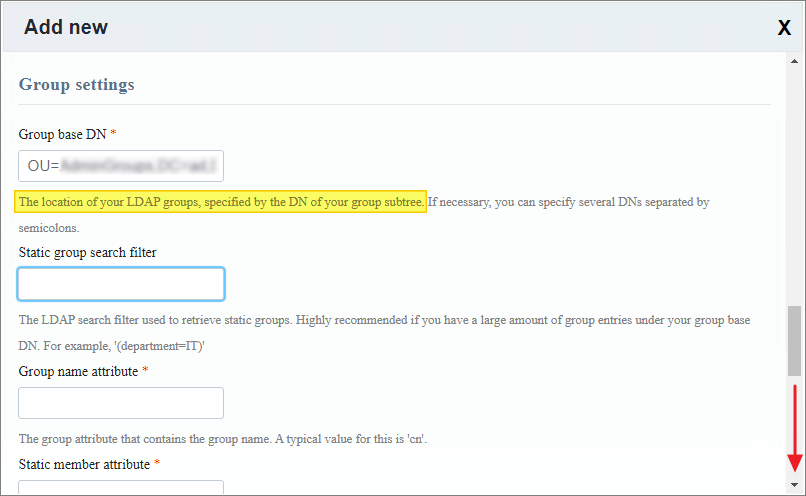
- Group base DN: This is typically the distinguished name of the OU where my ControlUp Admin User Groups reside. The attribute settings are self explanatory.
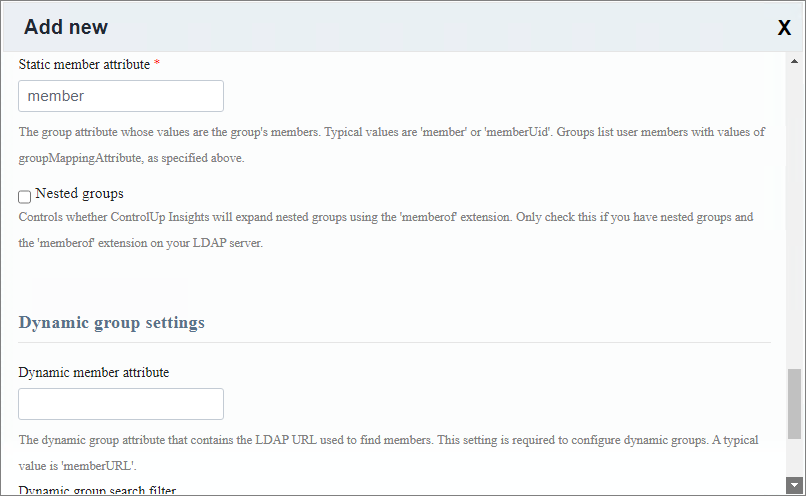
I click Submit to activate LDAP Settings
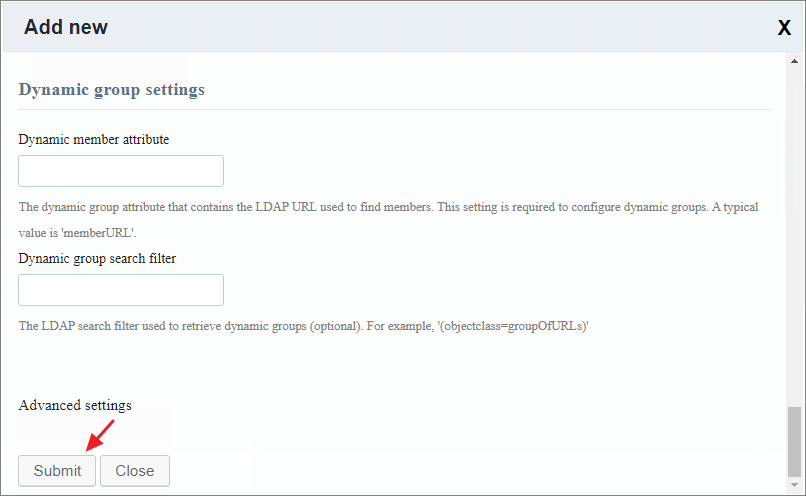
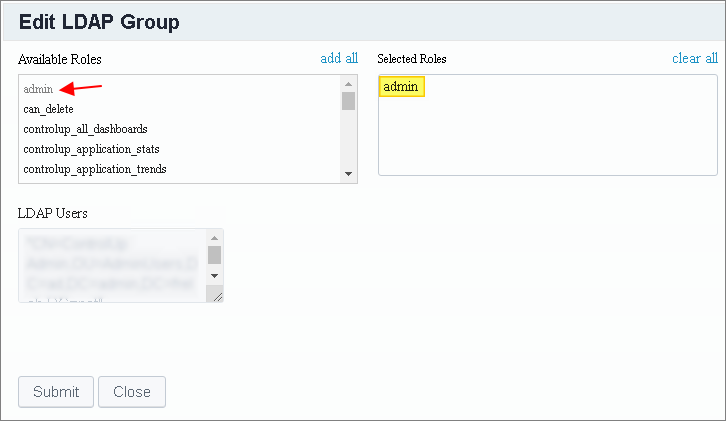
Once the LDAP Strategy is enabled, I click Edit on the group I want to assign a role in ControlUp Insight

Finally, I assign the group the admin role and click Submit. Once done, I test logging in with one of Admin Users and verify that the LDAP Settings work as configured above.
Once done, I test LDAP by logging in to insights with one of my domain accounts that is member of my Control Up Admin Group in AD.
ControlUp On-Premises setup:
- Solve
- Insights
- Replace Insights Self-Signed Certificate
- Configure LDAPS Integration
- ControlUp Server
- Real-Time Console
- Monitor
- IOP Forwarder
- Agent (Silent)
- RemoteDX
Official ControlUp documentation:
Other miscellaneous Tips & Tricks
Disclaimer: Every tips/tricks/posting I have published here, is tried and tested in different it-solutions. It is not guaranteed to work everywhere, but is meant as a tip for other users out there. Remember, Google is your friend and don’t be afraid to steal with pride! Feel free to comment below as needed.
 bjosoren's IT-Tech blog