
Release date: October 3rd 2023
Welcome to my Dell Wyse Management Studio section. The latest version of Dell Wyse Management suite was available for download on August 28th. 2023. In this section I will describe how I upgraded from 4.0.0 to 4.1.1. This new version has following new features:
Also the Release Notes include the following Important Notes:
- Microsoft Gina should be selected when you configure keyboard layouts.
- Language pack should be pre-installed on the Windows 10 IoT Enterprise image to apply the default language configuration.
- Updating substitute keyboard layouts restarts the device twice if Microsoft Gina is enabled.
- For information about the changes or updates to the ThinOS and Dell Hybrid Client configurations, see ThinOS 9.x Administrator’s Guide and Release notes and Dell Hybrid Client Administrator’s Guide and Release notes at www.dell.com/support.
- If you are using Wyse Easy Setup 2.0.0.158 or earlier versions, you must upgrade Wyse Easy Setup to 2.0.0.189 after you upgrade Wyse Device Agent to 14.6.1.4.
- When the Citrix connection is deployed from Wyse Management Suite and if Citrix application is active or in use, and then the default Citrix connection cannot be launched.
- If you are an issue with Wyse Easy Setup issue after upgrading to WDA 14.6.8.1 from WDA 14.6.7.32, you must re-publish the Wyse Easy Setup configuration from Wyse Management Suite.
- From Wyse Management Suite 4.0, you can select multiple groups (up to 100 parent groups) when you create an advanced application policy. When you select multiple groups:
- Exceeded maximum number of groups allowed in a policy message is displayed and the policy creation is blocked when you select more than 100 parent groups or sub-groups.
- The administrator must select Include sub-groups option, if sub-groups must be included in the advanced application policy.
- The sub-groups selection is not displayed when Include sub-group option is selected. However, individual jobs for all parent and sub-groups are created when the policy is scheduled.
- The policy cannot be scheduled immediately if the total number of applicable devices are more than 25. The administrator must schedule the policy later.
As always, when doing upgrades, I recommend having valid backups and checking upgrade compability before starting the upgrade. The release notes for the Dell WMS versions are available here: Dell Wyse Management Suite Version 4.x Release Notes I strongly recommend reading the release notes before continuing the upgrade-process.
Before I start the upgrade I download the installation media from Dell here: Dell Wyse Management Suite Download

Next, I verify that my upgrade path is supported by Dell.

In Control Panel on my WMS server I can see that I have the 4.0.0.526 version installed, which is supported for a direct upgrade.

I locate the installer I downloaded above and launch the executable. This opens the WMS Installer’s welcome screen, Next…

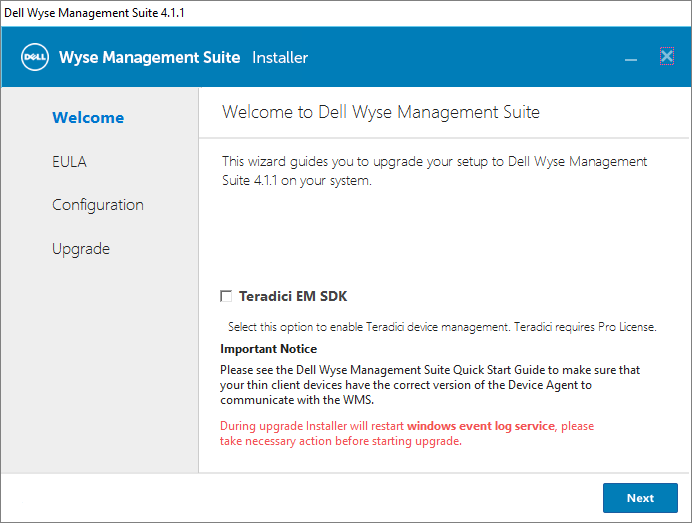
In the next screen I accept the EULA, Next…

I wont be using Teradici EM SDK, Next…
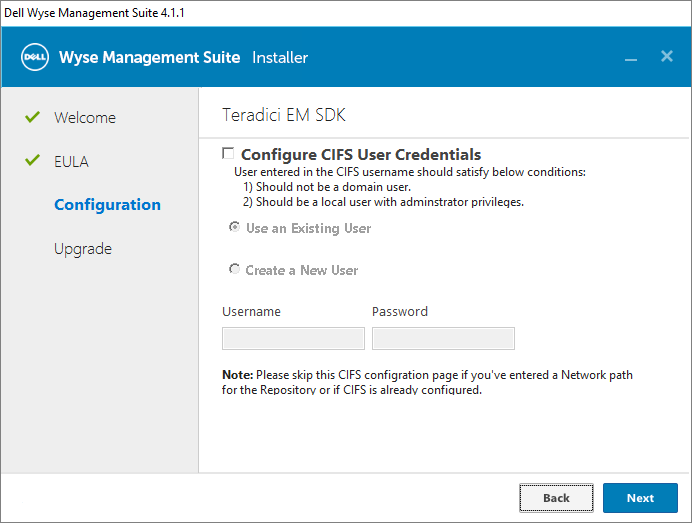
At this point, I make sure there are no processes running in WMS before I continue, Next…
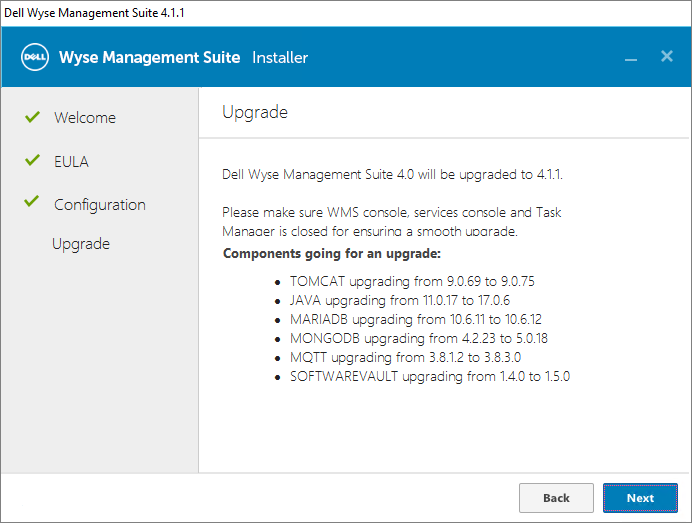
I click Next to complete the upgrade…

Once the upgrade-wizard finishes, I click Launch to log into Dell WMS and verify that all my settings etc. are present after the upgrade. I also launch Control Panel and verify my newly installed version.

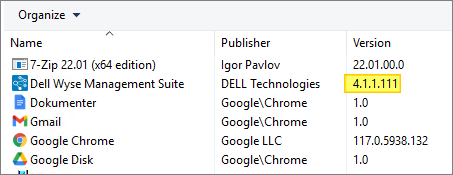
This completes my painless upgrade of Dell Wyse Management Suite. Stay tuned and come back for more sessions about this great software from Dell…
Other miscellaneous Tips & Tricks
Official Dell documentation:
- Dell Wyse Management Suite Version 4 Administrator’s Guide
- Dell Wyse Management Suite Version 3.x and 4.x Deployment Guide
Disclaimer: Every tips/tricks/posting I have published here, is tried and tested in different it-solutions. It is not guaranteed to work everywhere, but is meant as a tip for other users out there. Remember, Google is your friend and don’t be afraid to steal with pride! Feel free to comment below as needed.
 bjosoren's IT-Tech blog