
Release date: May 27th 2025
Welcome to my Omnissa Dynamic Environment Manager series. In this session I will describe how I upgraded the Dynamic Environment Manager Agent to v. 2503 using MDT. According to Omnissa’s official documentation, this should be done as step 11 in the supported update sequence.

I start out by downloading the installation media from Omnissa Customer Connect

As I’ve gone over to using MDT to create Horizon Windows images, described here: Automating Template Creation & Maintenance, I will update the Dynamic Environment Manager Agent in the Deployment Share, and run through the task sequence to create a new Windows image. Before I begin, I open the task sequence and can see that it has found the 10.13.0.2101 build in the Deployment Share.

I close the Deployment Workbench MMC before I continue. To update the Dynamic Environment Manager Agent in the Deployment Share, I will first delete the existing agent.
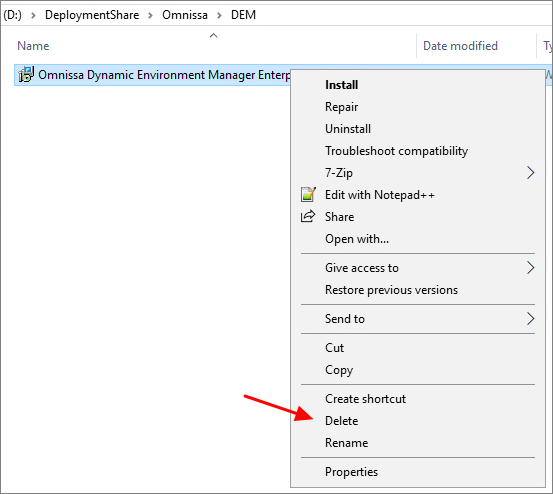
Next, I copy the new Dynamic Environment Manager Agent msi-file to the “DEM” folder in the Deployment Share. It is important to make sure that the executable isn’t blocked by Windows Security, therefore I right-click the msi-file, select Properties and tick the Unblock box, if it exists. This also applies to the other executable files in the VMware-folder under the DeploymentShare.
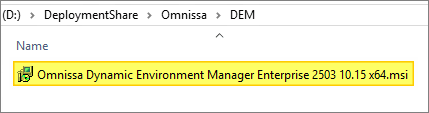

When I now open the Deployment Workbench MMC, the new Dynamic Environment Manager Agent build will be identified correctly.

As my task sequence is based on the osot.xml template, I will also have to edit this file with the correct msi-file name. Once done, I update the Deployment Share before I run through the task sequence and push the new Windows image to my desktop pool
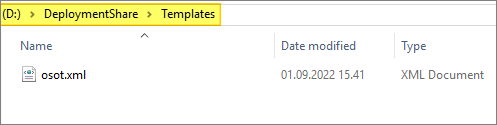

I also make sure that my Task Sequence is updated, by editing the ts.xml-files under the Control folder

This concludes my session about upgrading the Dynamic Environment Manager Agent to v. 2503. I can now proceed with upgrading the DEM Manager, posted here: Dynamic Environment Manager – Upgrade Manager to v. 2503
DEM Documentation:
Omnissa Documentation:
- Rebranding Changes in Omnissa Horizon Products (6000681)
- Horizon 8 Upgrade Overview
- Product Interoperability Matrix
- Omnissa Product Documentation
Dynamic Environment Manager – Upgrades
Disclaimer: Every tips/tricks/posting I have published here, is tried and tested in different it-solutions. It is not guaranteed to work everywhere, but is meant as a tip for other users out there. Remember, Google is your friend and don’t be afraid to steal with pride! Feel free to comment below as needed.
 bjosoren's IT-Tech blog