
Release date: November 10th 2025
Welcome to my Omnissa Dynamic Environment Manager series. In this session I will describe how I upgraded the Dynamic Environment Manager Agent to v. 2506 using MDT. According to Omnissa’s official documentation, this should be done as step 11 in the supported update sequence.

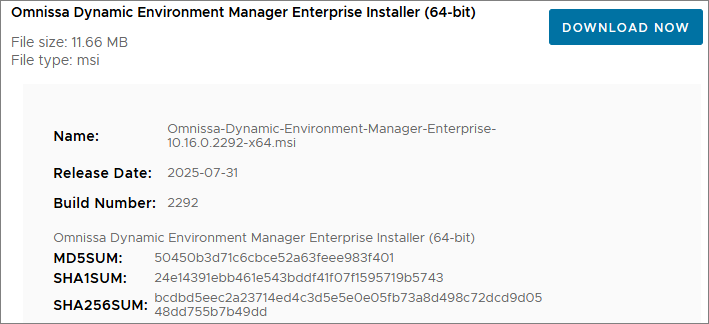
I start out by downloading the installation media from Omnissa Customer Connect
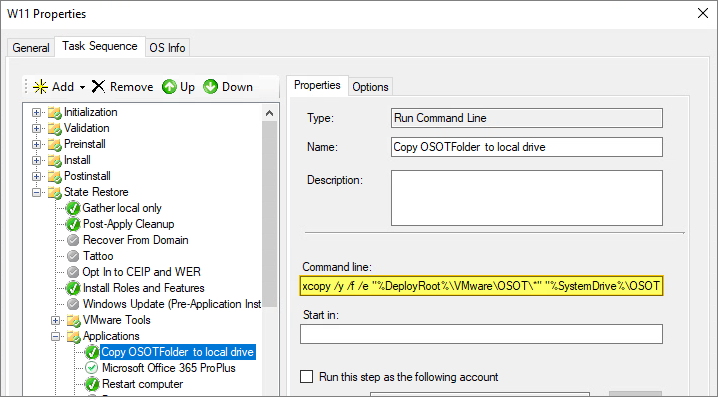
As I’ve gone over to using MDT to create Horizon Windows images, described here: Automating Template Creation & Maintenance, I will update the Dynamic Environment Manager Agent in the Deployment Share, and run through the task sequence to create a new Windows image. Before I begin, I open the task sequence and can see that it has found the 10.15.0.2268 build in the Deployment Share.

After updating the MDT Plugin, as described here: Horizon – Upgrade OSOT MDT Plugin to v. 2506, the Plugin NO longer worked, so I decided to use a Powershell script for this step in the task sequence instead. The silent install parameters are available here: Unattended Installation of Omnissa Dynamic Environment Manager. As the task-sequence copies the OSOT-folder (inside the DeploymentShare), to C:OSOT early in the Task Sequence, I created the Powershell-script in the OSOT-folder and made a folder containing the install media.

The Powershell-script will unblock the msi-file and install the DEM Agent using the silent install options I declare as arguments
$ErrorActionPreference = "Stop"
$DemAgentMsi = "Omnissa Dynamic Environment Manager Enterprise 2506 10.16 x64.msi"
$DemAgentArgs = "/i ""C:OSOTInstallDEM$DemAgentMsi"" /qn /norestart ADDLOCAL=FlexEngine,FlexProfilesSelfSupport /l*v C:OSOTInstallDEMdemagent_log.txt"

# Unblock DEM Agent Installer
Write-output "======Unblock Executables....."
Unblock-File C:OSOTInstallDEM$DemAgentMsi -Confirm:$false -ErrorAction Stop

# Install DEM Agent
Try
{
   (Start-Process msiexec.exe -ArgumentList $DemAgentArgs -Wait -PassThru).ExitCode
}
Catch
{
   Write-Error "Could not install DEM Agent successfully"
   Write-Error $_.Exception
   Exit -1
}
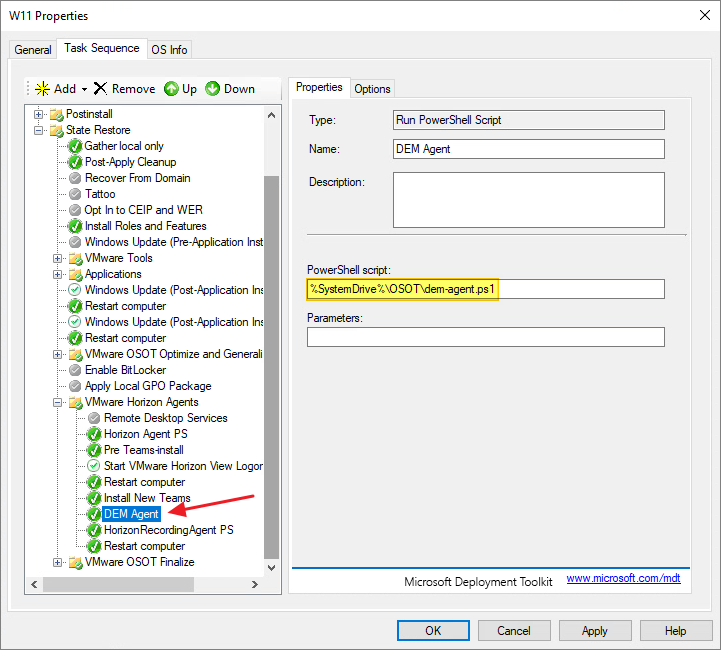
I add the Powershell script as a step in my task sequence and run through it to update the Dynamic Environment Manager Agent.
This concludes my session about upgrading the Dynamic Environment Manager Agent to v. 2506. I can now proceed with upgrading the DEM Manager, posted here: Dynamic Environment Manager – Upgrade Manager to v. 2506
DEM Documentation:
Omnissa Documentation:
- Rebranding Changes in Omnissa Horizon Products (6000681)
- Horizon 8 Upgrade Overview
- Product Interoperability Matrix
- Omnissa Product Documentation
Dynamic Environment Manager – Upgrades
Disclaimer: Every tips/tricks/posting I have published here, is tried and tested in different it-solutions. It is not guaranteed to work everywhere, but is meant as a tip for other users out there. Remember, Google is your friend and don’t be afraid to steal with pride! Feel free to comment below as needed.
 bjosoren's IT-Tech blog