
Release date: May 22nd 2025
Welcome to my Omnissa Horizon series. In this session I will describe how I upgraded the OS Optimization Tool Plugin for MS MDT to v. 1.2.2503. According to the Release Notes below, the new version of OSOT has the following resolved issues:
- Windows 11 24H2 is now supported with version 2503 of the Windows OS Optimization Tool for Omnissa Horizon EXE. Note: The version 2503 of the MDT Plugin doesn’t yet support Windows 11 24H2. For details, see Overview – Supported Windows versions for various Omnissa components.
I start out by downloading the installation media from Omnissa Customer Connect
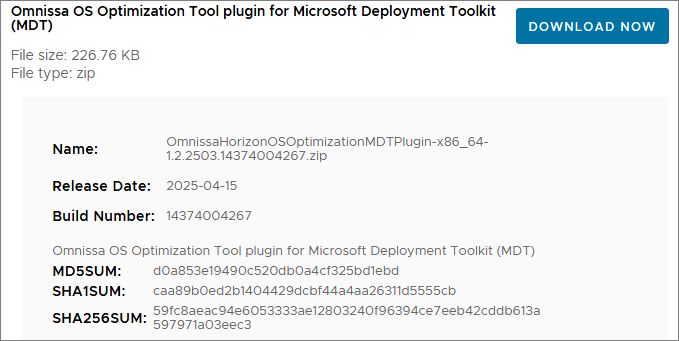
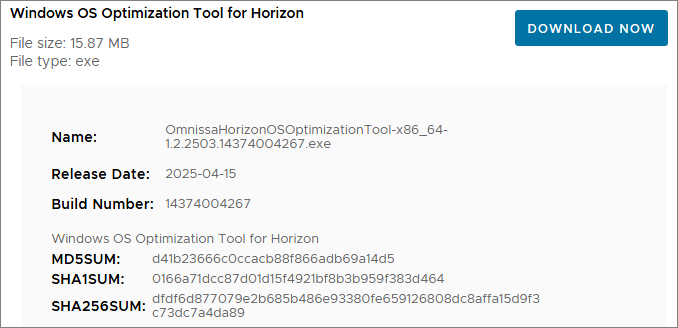
There isn’t an installer for this, so to upgrade my MDT setup with the new version of the OSOT MDT Plugin, I start out by unpacking the downloaded zip file

From the Bin folder, I copy and replace the existing files within: “C:\Program Files\Microsoft Deployment Toolkit\Bin”


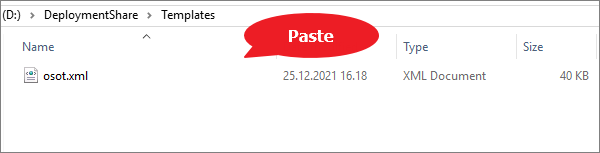
Next, I copy and replace the osot.xml template file to: “D:\DeploymentShare\Templates”

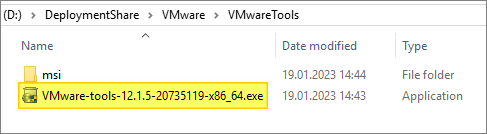
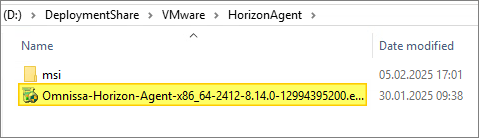
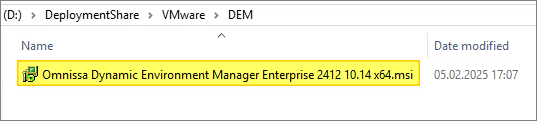
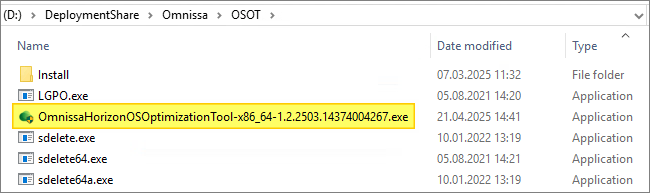
I have to edit the osot.xml to verify the ExeInstaller property vs actual filenames for VMware Tools, Horizon/DEM Agents and OSOT. The App Volumes Agent isn’t referenced with version and will work even after updating the installer in the Deployment Share.
VMware Tools:

Horizon Agent:

Dynamic Environment Agent:

VMware OS Optimization Tool:

App Volumes Agent:
As I mentioned above, the App Volumes Agent isn’t referenced to with a version or build, so the installer properties doesn’t need any adjustments.


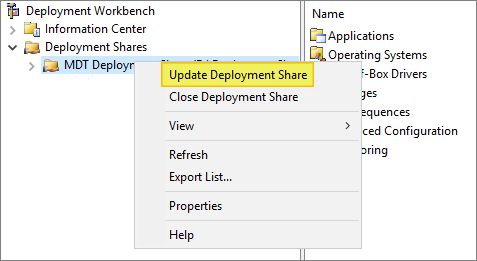
The final task I have to complete, is to Update the Deployment Share.
This completes my OSOT MDT Plugin upgrade, using this, I can now proceed with upgrading the Horizon Agent, covered here: Horizon – Upgrade Horizon Windows Agent to v. 2503
For additional info about VMware OSOT, check out this guide on Omnissa’s Digital Workspace Tech Zone: Windows OS Optimization Tool for VMware Horizon Guide
Horizon 8 Documentation:
Omnissa Documentation:
- Rebranding Changes in Omnissa Horizon Products (6000681)
- Horizon 8 Upgrade Overview
- Product Interoperability Matrix
- Omnissa Product Documentation
Horizon planning, deployment etc.
Disclaimer: Every tips/tricks/posting I have published here, is tried and tested in different it-solutions. It is not guaranteed to work everywhere, but is meant as a tip for other users out there. Remember, Google is your friend and don’t be afraid to steal with pride! Feel free to comment below as needed.
 bjosoren's IT-Tech blog