
Release date: February 13th 2024
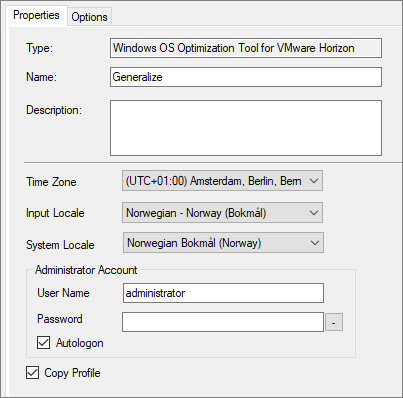
Welcome to my VMware Horizon series. As I use MDT to create and maintain my VMware Horizon Golden Templates, my Generalize step looks as shown below.
The above method normally works as supposed, but when doing this in air-gapped environments, the sysprep halts and asks us to connect to a network, due to missing internet connectivity.
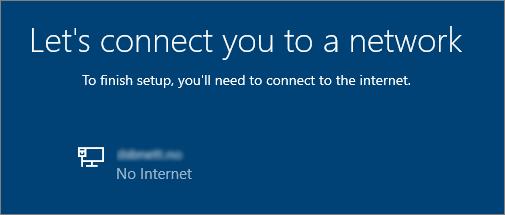
Unfortunately, I haven’t found a way to work around this using the VMware OSOT MDT Plugin. However, it is possible to do the Generalize step described above, by running the OSOT executable as a command line using the -g parameter. This I will show below.
First I run the VMware OSOT tool, click the Generalize tab. Here I verify the settings and click View Answer File.
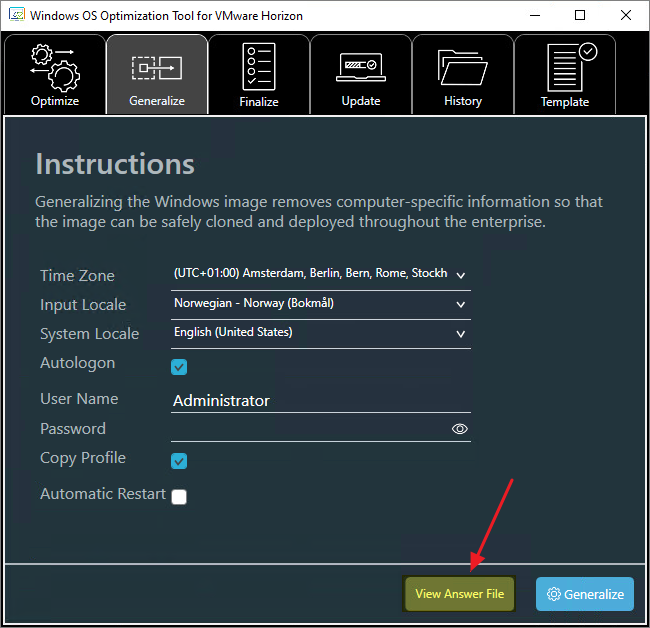
I copy the content of the answer file below to a text editor.
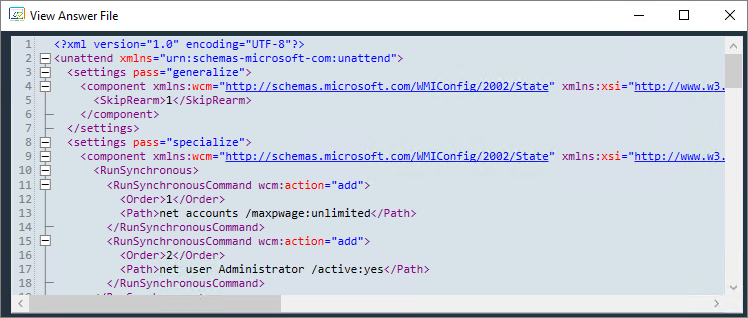
I add in the line below inside the OOBE section.
<HideWirelessSetupInOOBE>true</HideWirelessSetupInOOBE>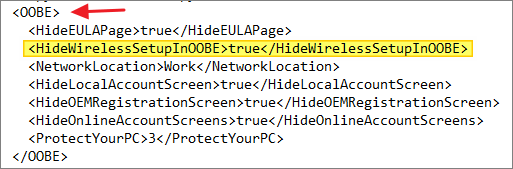
I save the answer file above as sysprep.xml in my scripts folder under the DeploymentShare. I create a step in the task sequence that copies the xml-file to the C:\OSOT folder in the Golden Template VM
xcopy /y /f "%SCRIPTROOT%\sysprep.xml" "%SystemDrive%\OSOT\"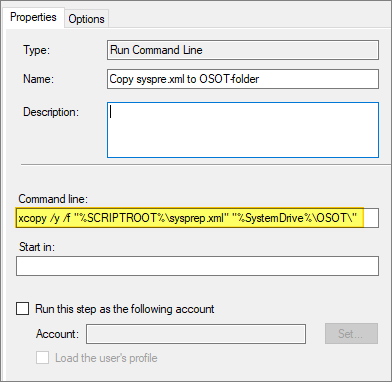
Next I create a step that will run the OSOT executable using the sysprep.xml when doing Generalize.
cmd.exe /c "%SystemDrive%\OSOT\VMwareHorizonOSOptimizationTool-x86_64-1.2.2303.21510536.exe -g C:\OSOT\sysprep.xml" -reboot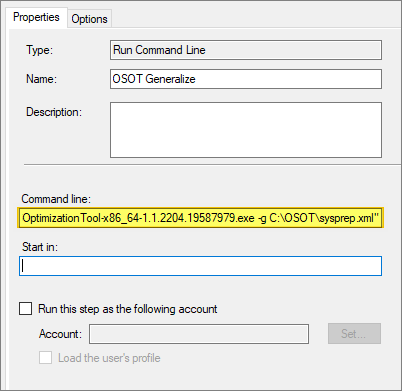
This will make sure that the task sequence continues after Sysprep and no interaction is required. However, it is important to update the executable name in the step above, next time I upgrade the OSOT MDT Plugin and/or the OSOT tool itself in the DeploymentShare.
VMware Documentation:
- Windows OS Optimization Tool for VMware Horizon: When used in conjunction with the Microsoft Deployment Toolkit (MDT), The Image pauses on “Let’s connect you to a network” (94502)
- Run Windows OS Optimization Tool for VMware Horizon from Command Line
- VMware OS Optimization Tool
VMware Horizon planning, deployment etc.
Disclaimer: Every tips/tricks/posting I have published here, is tried and tested in different it-solutions. It is not guaranteed to work everywhere, but is meant as a tip for other users out there. Remember, Google is your friend and don’t be afraid to steal with pride! Feel free to comment below as needed.
 bjosoren's IT-Tech blog